Offline CBT Setup & Management
Fully featured computer-based testing system that runs without internet. Perfect for schools, universities, and examination bodies. Secure, fast, and fully offline.

Why Choose Our Offline CBT System?
Built for reliability, security, and seamless exam administration — zero internet dependency.
100% Offline Capable
Install on local network or standalone PCs. No internet disruptions during exams.
Secure & Anti-Cheat
Lockdown browser, randomized questions, session tracking, and advanced proctoring.
Admin / Staff / Student Portals
Three role-based dashboards for seamless management, exam creation, and student access.
Instant Results & Analytics
Automated grading, performance reports, and detailed subject-wise analysis.
Role-Based Dashboards
Designed for efficiency — Administrators, Teachers, and Students have tailored interfaces.

Admin Portal
Manage students, staff, subjects, exams, view logs, and generate school-wide reports.
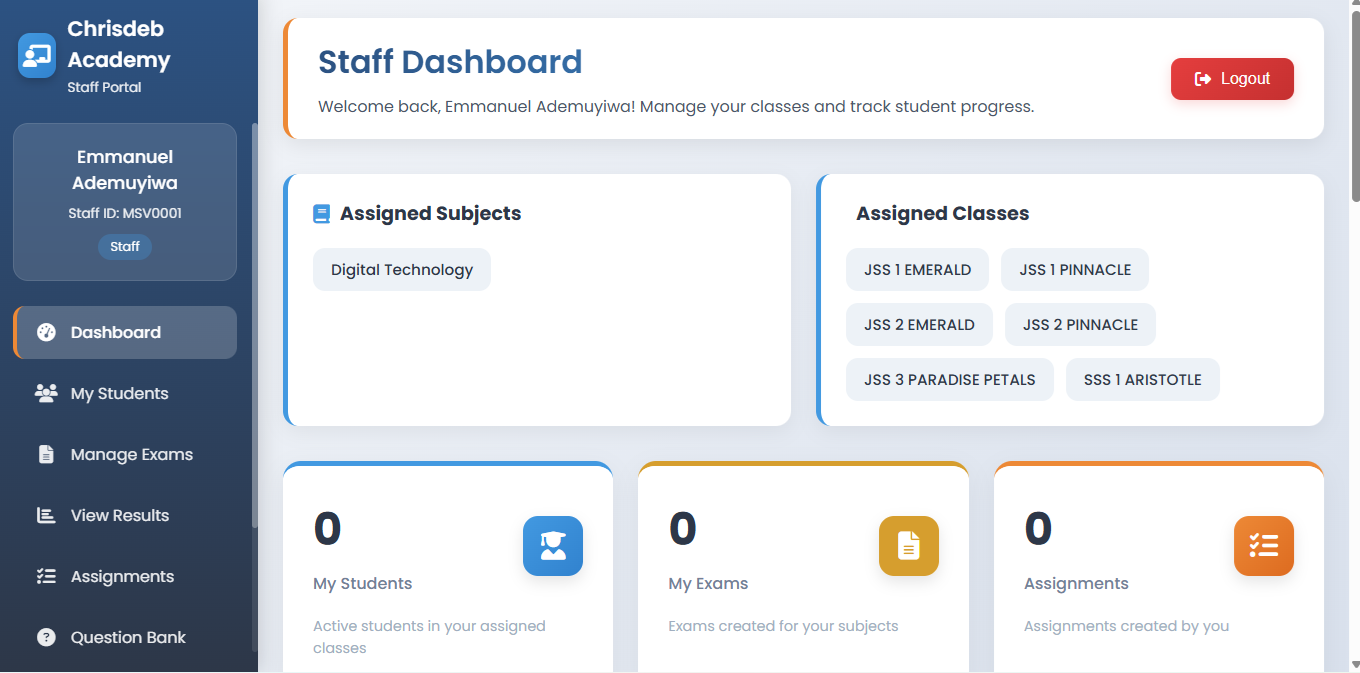
Staff Dashboard
Create exams, manage questions, grade assignments, track student performance.

Student Area
Take exams, view results, access library, submit assignments, track progress.
📹 Video Tutorials & Setup Guides
Step-by-step walkthroughs for administrators, teachers, and students.
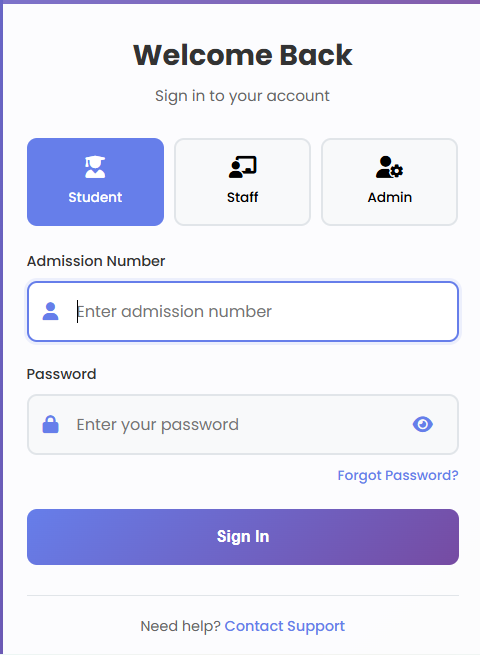
🔧 Logging In & System Access
Learn how to install the offline CBT system, add classes, subjects, staff accounts, and configure exam settings.
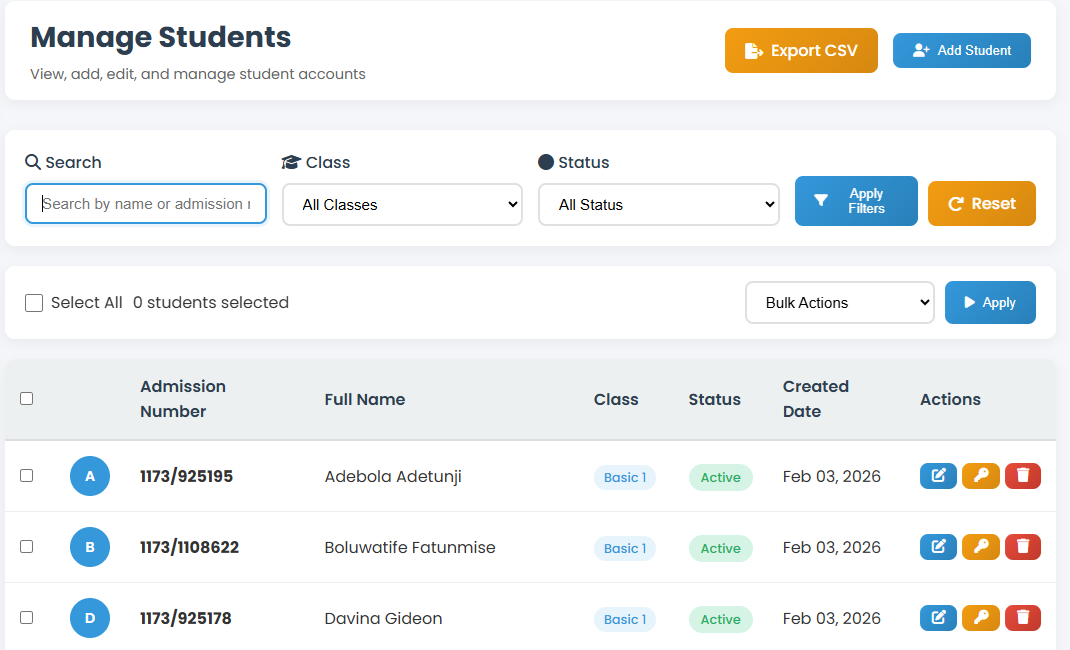
📝 How To Create & Manage Students Accounts
Learn how to add, edit, and delete student accounts.
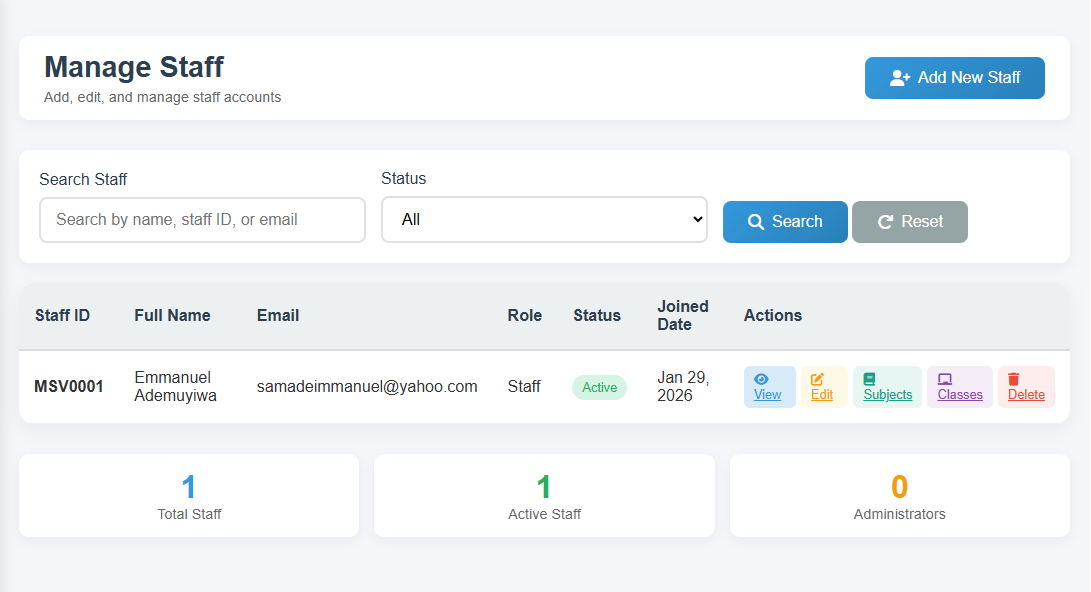
👩🎓 How To Create & Manage Staff Accounts
Learn how to add, edit, and delete staff accounts, assign roles, and manage their permissions.
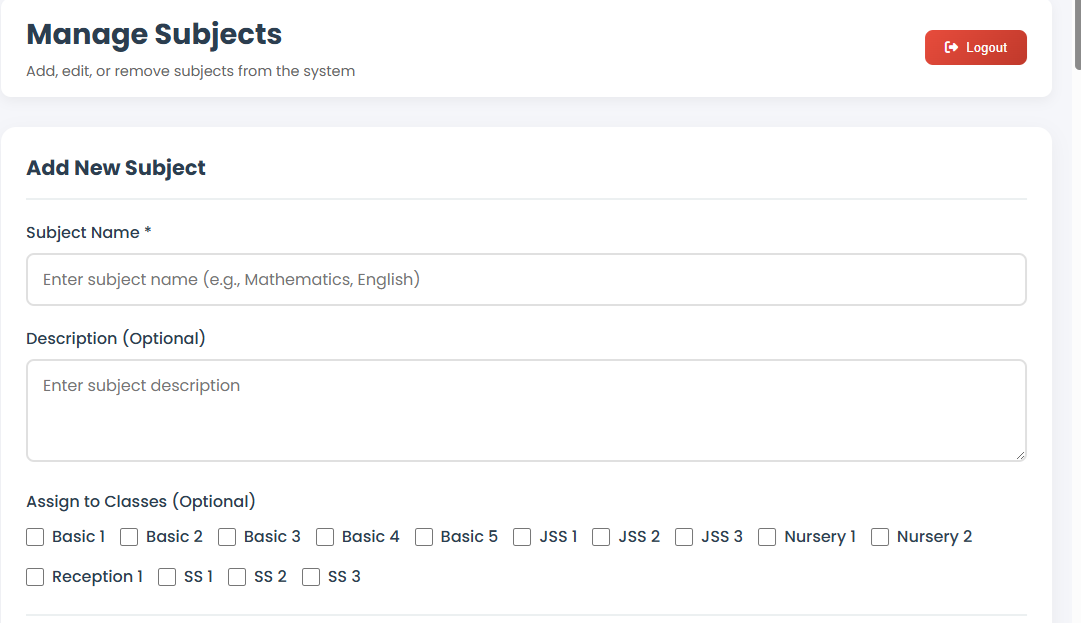
🔄 Manage Subjects/Topics
Learn how to manage subjects and topics .
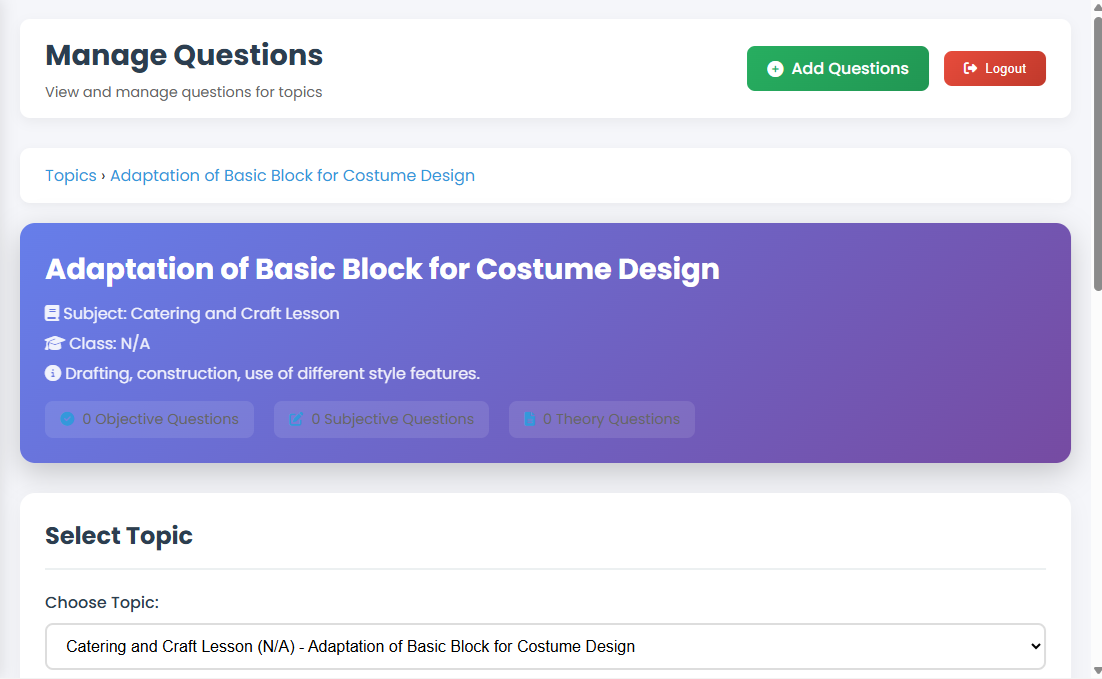
🔄 Manage Questions
Learn how to manage subjects and topics.
Ready to deploy Offline CBT in your school?
We provide full installation, training, and technical support. Our team will guide you from setup to first exam day.
Request a consultation